Generate HTML Docs
Generate beautiful, interactive HTML documentation from your OpenCLI Specification that can stand alone or be embedded in any web page.
Install the CLI
If you haven't already, install the ocli tool:
$ go install github.com/bcdxn/opencli/cmd/ocli@latestStandalone HTML Page
Generate elegant documentation in a self-contained index.html file that can be deployed to any static site, e.g. GitHub pages.
$ ocli gen docs
  --format html-page
  --out ./web
  ./pleasantries-cli.ocs.yaml
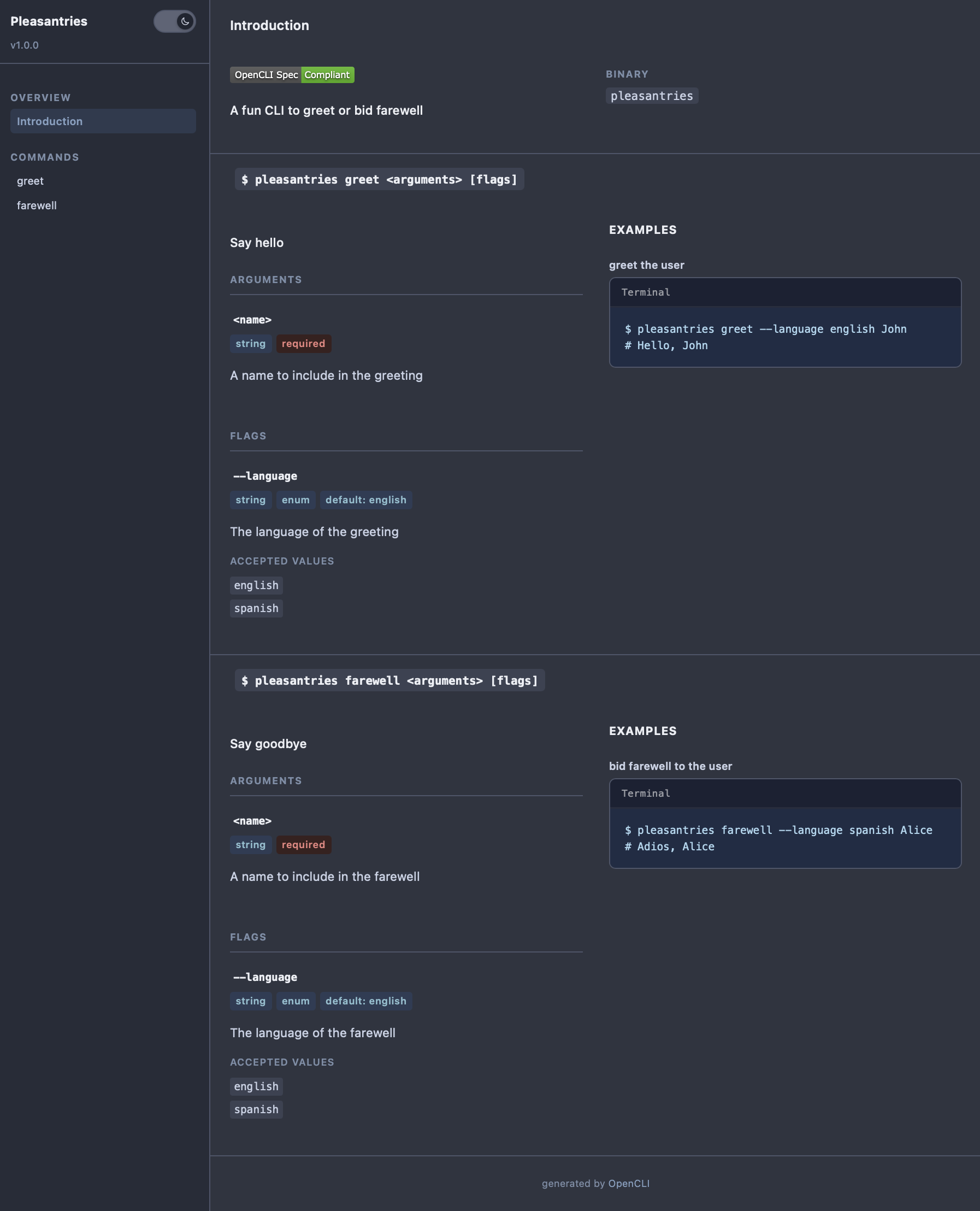
This produces a fully styled HTML page in./web/pleasantries-cli.ocs.html ready to open in any browser:
Embeddable HTML
You can also generate a lightweight JavaScript bundle that renders docs inside an existing web page. This is useful when you want to embed CLI documentation alongside other content:
$ ocli gen docs
  --format html-embed
  --out ./assets
  ./pleasantries-cli.ocs.yaml
This writes a single ocli-docs.js file. Include it in any HTML page to embed your docs:
<html>
  <head>
    <script src="./assets/ocli-docs.js"></script>
  <head>
  <body>
    <div id="docs"></div>
    <script>
      window.OcliDocs({ containerId: "docs" });
    </script>
  </body>
</html>
How it works: The html-embed format bundles everything into a single JavaScript file — no build step, no dependencies. Just drop the script tag and call window.OcliDocs() with the container ID where you want the docs to render.
Comparing formats
- html-page — A complete, styled HTML file. Best for standalone documentation sites.
- html-embed — A JavaScript bundle you can embed in any existing page. Best for integrating CLI docs into a larger website.
What's next?
- Try out a live preview of the HTML documentation generation
- See a real world example of generated HTML docs on the OCLI Reference Page
- Learn how to generate code from an Open CLI document