Generate Man Pages
Generate proper roff/troff man pages from your OpenCLI Specification — ready to ship with your CLI so users get native man support out of the box.
Install the CLI
If you haven't already, install the ocli tool:
$ go install github.com/bcdxn/opencli/cmd/ocli@latestGenerate a man page
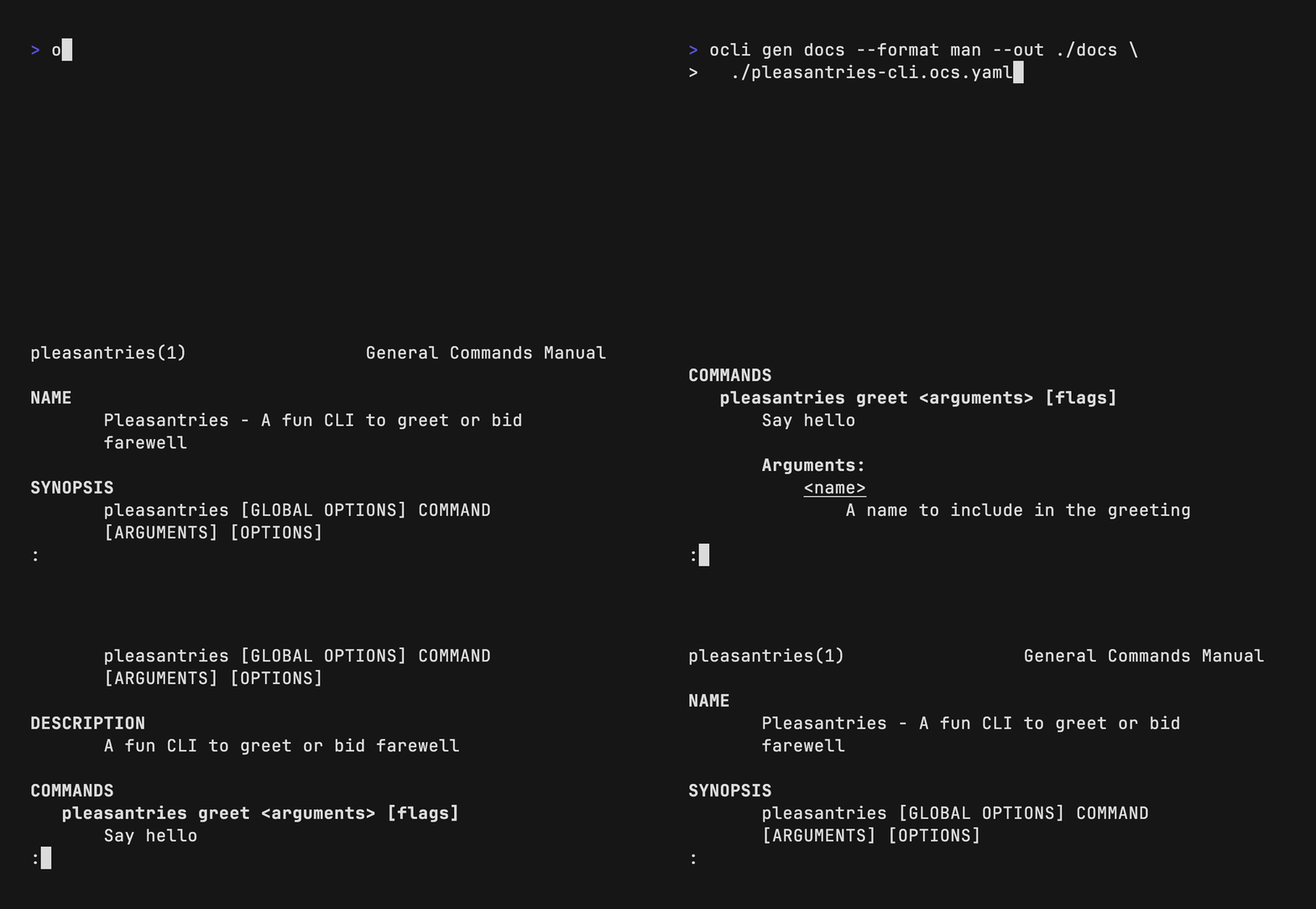
Run the gen docs command with the --format man flag:
$ ocli gen docs \
  --format man \
  --out ./man \
  ./pleasantries-cli.ocs.yaml
This produces a .1 file (e.g., pleasantries-cli.ocs.1) in the output directory. The man page follows standard roff/troff conventions with properly formatted sections for name, synopsis, description, commands, arguments, flags, and examples.
What's in the generated man page
A generated man page includes:
- NAME — CLI name and summary
- SYNOPSIS — Usage pattern
- DESCRIPTION — Full CLI description with capabilities
- GLOBAL OPTIONS — Shared flags across all commands
- COMMANDS — Each command with its arguments, flags, and examples
Why man pages? Man pages are the Unix standard for CLI documentation. Generating them from your OpenCLI spec means your docs stay in sync with your spec — no more manually maintained roff files that drift from reality.
Use the man page
You have a few options for working with your generated man page:
Option 1 — Preview without installing
Quick preview straight from the output directory using the man command with a relative path:
$ man ./man/pleasantries-cli.ocs.1No installation needed — great for validating output before shipping.
Option 2 — Install system-wide
Copy the man page to your system's man directory so it's available globally:
$ sudo cp ./man/pleasantries-cli.ocs.1 /usr/local/share/man/man1/pleasantries.1
$ man pleasantries
On macOS and Linux, the man command will automatically pick it up after installation.
Option 3 — Ship with your GoReleaser Homebrew tap
If you distribute your CLI via GoReleaser, include the man page in your Homebrew formula so it's installed alongside the binary:
# .goreleaser.yaml
archives:
  - files:
    - README.md
    - LICENSE
    - pleasantries-cli.ocs.1
With this config, users who install via brew install pleasantries will get the man page installed automatically — no extra steps required.
Tip: If your CLI has multiple commands, each gets its own section in the generated man page — no need to split them into separate files. The whole spec becomes one cohesive man page.
What's next?
- Generate Markdown documentation for GitHub or static sites
- Generate HTML documentation that looks great in a browser
- Learn how to generate CLI code from your spec